Thank you for Visiting my Blog

Tuesday, 11 July 2017

How to connect to Teradata and extract DB using VBA


 Hi Guys !!!
Below is the code to connect Teradata DB and Extract data:

Sub Teradata_connect()
  Dim Target_DB As String
  Dim Userid As String
  Dim Password As String
  Dim i As Integer
'''' This Can be parameterized  ''''

        Target_DB = "EMPINFO"
        Userid = "user"
        Password = "password"

''''' setting the required objects below '''''
   Set connection = CreateObject("ADODB.Connection")
   connection.CommandTimeout = 3000

          ''' Teradata db connection string '''
    connection.Open "DSN=" & strDB_Target & "; UID=" &      strDB_Target_UID & "; PWD=" & strDB_Target_PWD & ""

    Set Objrecordset = CreateObject("ADODB.Recordset")
    StrQuery = " select * from EMPINFO.EMP  "
      '''' Recordset start''''
    Objrecordset.Open StrQuery, connection
        For i = 1 To Objrecordset.Fields.Count

        ThisWorkbook.Worksheets("result").Cells(2, i).Value =         Objrecordset.Fields(i - 1).Name
         Next

ThisWorkbook.Worksheets("result").Cells(3,1).CopyFromRecordset Objrecordset
       ''''closing the connection ''''

                Objrecordset.Close
                connection.Close
          
           ThisWorkbook.Worksheets("result").Activate
           ThisWorkbook.Worksheets("result").Select

           ThisWorkbook.Worksheets("result").Range("A1").Select
End Sub
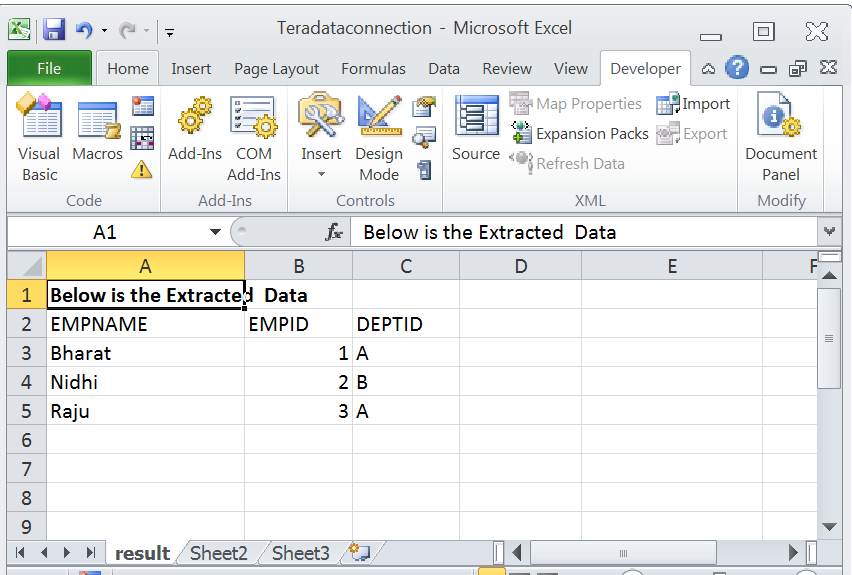
Below is the result:


Sunday, 9 July 2017

How ADO(ActiveX Data Objects)DB connection and Recordset work

 Hi Guys!!


While connecting VBA script to any Database ADO connection object is required.

ADO :

ADO Stands for ActiveX Data Objects, is Microsoft’s Client-Server technology to access the data between Client and Server.  ADO can’t access the data source directly, it will take help of OLE DB to communicate with the data source.

The ADO Command object is used to execute a single query against a database. The query can perform actions like creating, adding, retrieving, deleting or updating records.

ADO Connection Object :

The ADO Connection Object is used to create an open connection to a data source. Through this connection, you can access and manipulate a database.

"Set connection = CreateObject("ADODB.Connection")"

'where connection is a variable


ADO Recordset object:


The ADO Recordset object is used to hold a set of records from a database table. A Recordset object consist of records and columns (fields).

In ADO, this object is the most important and the most used , often to manipulate data from a database.

 "Set Objectrecordset = CreateObject("ADODB.Recordset")"

'where objrecordsetis a variable


Note: Once data extracted close the objects as below.

                " Objectrecordset.Close
                connection.Close "


 Read More: